[SYSTEM: INITIALIZING]
- EnvironmentWAIT
- Data boundaryWAIT
- Model runtimeWAIT
- Inference pathWAIT
Stop renting Intelligence, own it.
Private AI models and agents, deployed on your own servers. Your data stays yours.
Introducing Factr-I
Your AI agent, on your machine, learning how you work.
Factr-I is a lightweight desktop agent that keeps its own memory, learns from your work, and runs on the model you already have.
Your model can talk. Factr-I puts it to work.
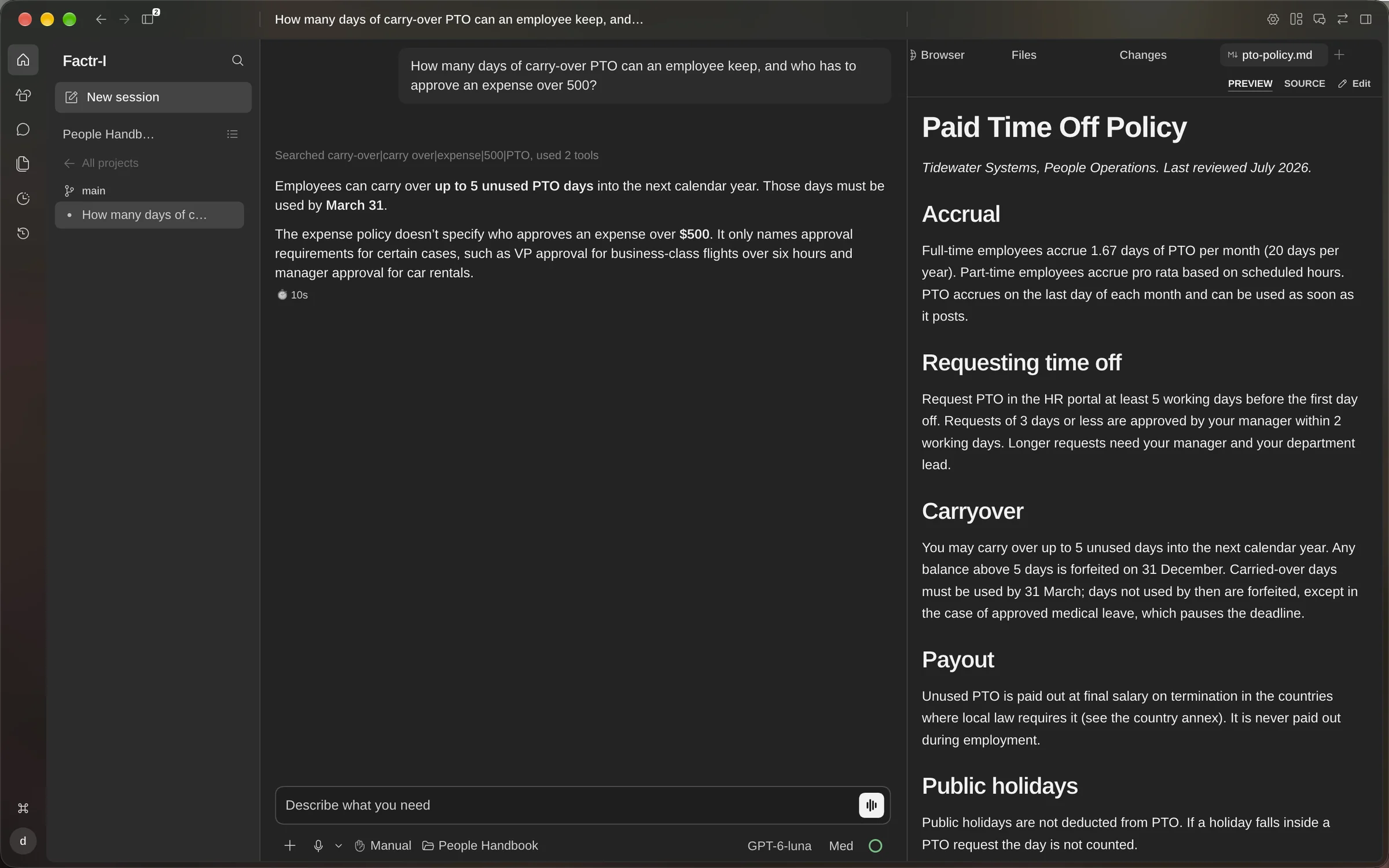
Answers arrive with their source.
Ask a question about your files and Factr-I answers with the source passage open beside it, so you can check the answer before anyone acts on it.
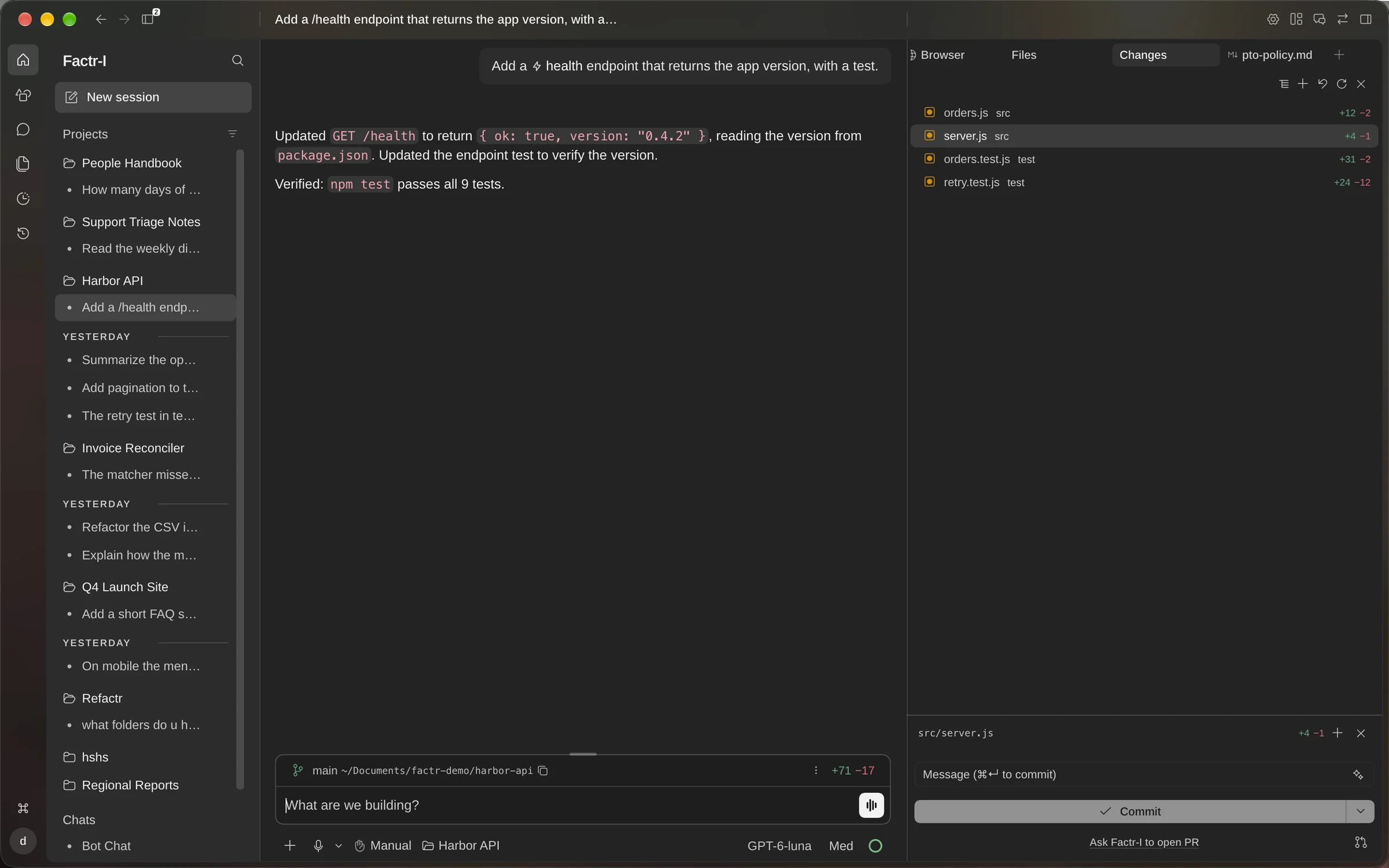
Code arrives tested.
Describe the change and Factr-I edits the code, shows the diff and runs your tests before it hands the work back.
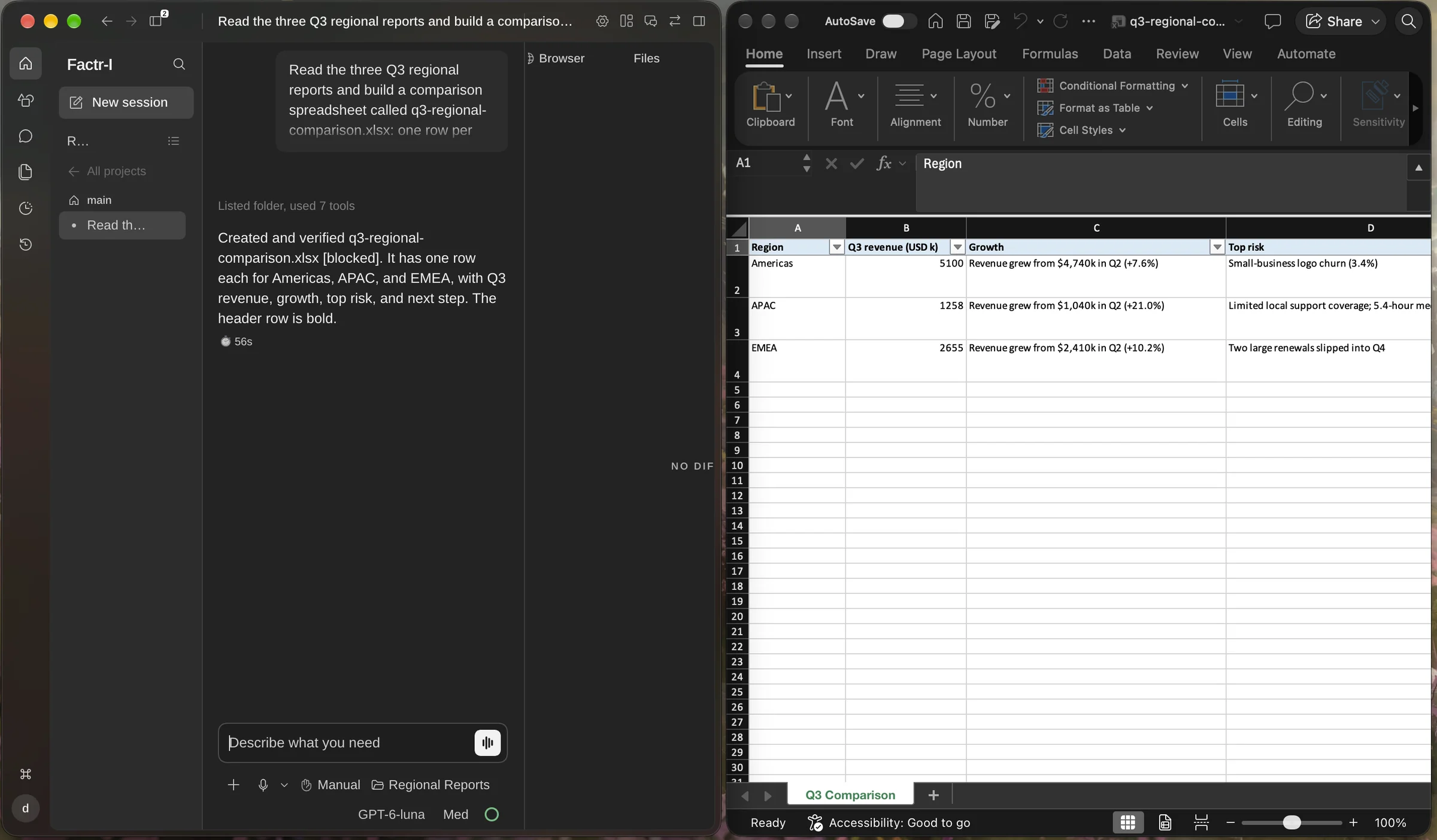
Work ends in a file.
Give it a task with several steps and it works through them on your machine, then returns the finished file instead of a chat reply.
Answers arrive with their source.
Ask a question about your files and Factr-I answers with the source passage open beside it, so you can check the answer before anyone acts on it.
Code arrives tested.
Describe the change and Factr-I edits the code, shows the diff and runs your tests before it hands the work back.
Work ends in a file.
Give it a task with several steps and it works through them on your machine, then returns the finished file instead of a chat reply.
Performance and Cost
Factr-I, Prime and Hermes ran the same 1,067 tasks from six public benchmarks, all on GPT-6 Luna.
| Benchmark | Factr-I | Prime (Rust)2 | Prime | Hermes |
|---|---|---|---|---|
| Long-context pairsOOLONG-Pairs · 20 tasks | 73.8% (best)F1 | 23.4%F1 | 32.7%F1 | 29.8%F1 |
| Long-context reasoningOOLONG · 50 tasks | 90.0% (best)45/50 | 48.0%24/50 | 60.0%30/50 | 34.0%17/50 |
| General assistantGAIA · 165 tasks | 40.0% (best)66/165 | 39.4%65/165 | 37.6%62/165 | 28.5%47/165 |
| Terminal tasksTBLite · 100 tasks | 68% (best)68/100 | 59%59/100 | 64%64/100 | 60%60/100 |
| Code editingPolyglot · 225 tasks | 86.2% (best)194/225 | 70.2%158/225 | 73.3%165/225 | 81.8%184/225 |
| Long reasoningLongCoT-Mini · 507 tasks | 19.3% (best)98/507 | 19.3% (best)98/507 | 17.6%89/507 | 17.8%90/507 |
| Benchmark | Factr-I | Prime (Rust)2 | Prime | Hermes |
|---|---|---|---|---|
| Long-context pairsOOLONG-Pairs · 20 tasks | 84MiB | 72 (best)MiB | 627MiB | 231MiB |
| Long-context reasoningOOLONG · 50 tasks | 96MiB | 71 (best)MiB | 618MiB | 221MiB |
| General assistantGAIA · 165 tasks | 53 (best)MiB | 103MiB | 637MiB | 234MiB |
| Terminal tasksTBLite · 100 tasks | 27MiB | 46MiB | 778MiB | 241MiB |
| Code editingPolyglot · 225 tasks | 390MiB | 255 (best)MiB | 826MiB | 416MiB |
| Long reasoningLongCoT-Mini · 507 tasks | 68MiB | 60 (best)MiB | 609MiB | 226MiB |
Read the head-to-head comparisons for one competitor at a time, including where each of them leads.
- Factr-I uses the fewest tokens overall but costs a little more than Hermes. Its batched calls produce more output tokens, mostly on OOLONG, and output tokens cost more than input tokens.
- Prime rewrote itself in Rust on October 9, 2026. Our benchmarks were ready before that, so we ran the earlier Prime first, then ran the Rust version once it was released. Read Prime’s post.
Releasing soon. Stay tuned.